Introducing Zapier - saving you time on every ticket sale

zapier.jpg

We're pleased to announce that you can now connect all sorts of useful apps to Ticket Tailor via Zapier.

Zapier allows different applications to communicate with each other. In practice, this means you can use Zapier to easily automate a number of mundane tasks, such as transferring ticket sales details to spreadsheets, putting together a mailing list from event attendees or creating invoices for purchases.

Instead of spending your time making sure that various apps are synced up, you can now link ticket sales to hundreds of applications like Xero, Hubspot, Salesforce and Google Sheets. When Zapier is told that you've made a sale, it will forward the data you're interested in to your chosen application. It's possible to have several Zaps set up at the same time, complete with filters, so that all your apps will be updated at the same time.

We're currently updating our documentation to reflect some of the most common ways of connecting apps.

Google Sheets Integration

Here is a small example of how Zapier can be used to automatically populate spreadsheets.

You'll need:

  • A Ticket Tailor account
  • A Zapier account
  • A Google sheet to put your data

Step 1: Create a trigger and an action. In this case a new ticket sale will trigger a new spreadsheet row.

zapier gsheets example

Step 2: Link your Ticket Tailor account to Zapier so that this Zap will work. Simply follow the instructions to copy and paste the webhook.

zap sheets hook

Step 3: Connect your Google Sheets account. While you're here it makes sense to title the sheet you'll be using to record your data and create the appropriate columns e.g. "Event name", "customer name".

zap sheets sheet

Here's the sheet I created - it's very basic and there's plenty more data available to import from ticket sales for those who want it.

google sheets

Step 4: Filters. This is where you might channel different clients based on the tickets they bought, the event they attended or a host of other variables. I'm going to leave it blank for now.

zap sheets filter

Step 5: Select your spreadsheet and worksheet, then pick the data you want to automatically transfer after each ticket sale. I have four columns in my spreadsheets because these are the four pieces of information I'm interested in.

zapier gsheets 2 example

Steps 6 & 7: Testing and activation. Make sure you test each Zap and take a look at your spreadsheet to make sure everything is working as intended. An easy way to test this (and other Zaps) is to put a fake ticket sale through Ticket Tailor by adding an order as an operator. You can use this particular order to test other Zaps in the future - Zapier will 'remember' it when you hook the accounts together in Step 2.

zap testing and activation

And that's all there is to it! Please note that the spreadsheet and its associated field headings (Event name, email, etc) should be created before step 5. After the sheet has been linked to Zapier a page refresh may be necessary before these field are detected.

Zapier has their own help documentation, including video tutorials, that can be found here.

5 Mistakes that the best event organisers never make

150-px-srewup.png

...and how to avoid them!

You'd never make any of these blunders, but you probably know someone who has. Or not, in which case you may be some sort of Event Planning God, possibly waited on by a clique of minor but equally flawless venue deities.

 people

#EPG anyone?

1. Sales – Using discounts and coupon codes (badly)

Are guests buying tickets for your event? Early bird discounts are all well and good, but remember that you’re cutting into your profit margin for each discounted ticket sold. Always make sure you know where that money is going and what you're getting in return. Discounts are best used strategically:

  •  To compete with other similar businesses in a similar market

Coupon codes make sense when you want to undercut the competition. Make it clear that they’re available for a limited time only – this adds urgency to the purchase process and encourages unsure ticket buyers.

  • To track where your ticket sales are coming from and optimize your marketing efforts

Use different discount codes for each marketing campaign. When your event is finished, dedicate some time to understanding what worked and what didn’t. Keep using this strategy and you’ll eventually narrow down the most productive avenues to sell tickets for your particular event.

  • To reward and engage clients and customers

If customers learn to expect regular discounts then you’ve basically succeeded in undercutting yourself. Be sparing with them and you can reward loyal fans or promote your event through partners with exclusive offers. As a customer, even 10-15% off can feel like a lot more when you know other people aren’t getting it.

  • To close sales with longer term customers

But not all customers. Make sure you’ve figured out the ROI for your tickets, especially before you start handing out significant discounts. Be aware that larger price cuts can have a negative impact on your brand; make them too high and you run the risk of looking desperate or having customers think that there’s something wrong with your product.

empty conference

2. Resource allocation – Problems with space and time

You might have good speakers and exhibitors, but that won’t mean much if you haven’t given them the right rooms.

It's vital to know which aspects of your event are likely to attract the largest audiences. You can then make sure that the allocated space is suitably sized. Be sure to pay attention to acoustics and check that your AV systems are up to scratch.

Similarly, giving a large room to someone doing a very niche presentation is usually a mistake; semi-deserted conference halls are embarrassing for speakers and depressing for attendees.

Of course, that’s not to say that every aspect of your event needs to draw large crowds. A small, engaged group in an appropriately sized room can create the sort of intimacy that makes a conference particularly memorable.

All right, so you’ve got rooms sorted.

If you've booked speakers, have you allocated their time slots appropriately? Obviously you’ve margined for introductions – I’m talking about different periods in the day. A few things to think about:

Will audiences be ready for the first speaker and are late arrivals likely?

It can be a good idea to have some key ideas presented when energy and attention levels are highest. On the other hand, you don’t want an important presentation to start late and run-on because you’re waiting for stragglers.

Who have you got speaking before and after lunch?

The first slot is problematic because attendees are getting hungry and will be figuring out who they’re going to meet up with. During the second, guests may be sleepy, tipsy or still busy talking to colleagues and customers.

What’s your final presentation?

Ending the conference on a high note is clearly ideal, but attendees are likely to be tired and ready to go home. Whether it’s worth saving one of the best for last is a difficult decision that depends on experience and an understanding of each particular audience.

spam @

3. Engagement – Social media gone wrong

Social media is incredibly useful from an organiser’s perspective, but that doesn’t mean you need to be everywhere at once. In fact, pushing engagement too hard can have entirely the opposite effect. It’s also much more difficult to produce quality content and cultivate a friendly atmosphere if you’re attempting to do it all across multiple platforms.

Instead, pick one or two social media channels and use those exclusively.

Talk to people, connect with them and you’ll not only find the whole process more interesting and rewarding, but also easier to keep up.

Encouraging attendees to use social media at events is vital, although yet again there is such a thing as excessive engagement. “Engagement” in this sense is a bit of a misnomer, since it usually equates to something like twomiting. Observations and experiences are valuable; a continual echo of what the speaker said 10 seconds ago is not.

You can take steps to prevent social media abuse in several ways - one is to livestream the event.

This will often garner interest by itself, but it also makes Twomit-like updates fairly pointless. Similarly, having a twitter stream in front of your audience will make guests think for longer about what they want to say. A twitter stream can also be quite a lot of fun and it encourages the kind of questions that some attendees may be unwilling to ask out loud.

At the other end of social media gone wrong is its absence; from whence storytelling and light-hearted banter should emanate, there is only silence.

And a gaping void of missed opportunity. Do yourself a favour and be active on at least one social media avenue. It’s not difficult and it’s certainly worthwhile - unless you really don’t care what anyone else thinks!

wet floor

4. Facilities – Failure to accommodate

No, not the requests of the speakers or the buffet preferences of the client – we're talking about everything, including your attendees!

First off, make sure you have fantastically obvious signage.

You might know where everything is located but try to imagine that you've never been to the venue before. Does the layout make sense?  In general, but especially if you’re using volunteers, there also needs to be a place for staff to take breaks and leave personal items that’s suitably hidden from attendees.

But wait! There's more:

Is the entrance to the venue clearly marked? Where are guests going to park? Will they have coats and bags to drop off? How about wet umbrellas? Are the bathrooms spotless? Will they be kept spotless?

These are the sort of questions that tend to escape notice amongst all the other high priority tasks that need doing. But they are important, albeit fairly basic, concerns.

And what if things go wrong?

Event planners are fond of quoting Murphy’s law – “Anything that can go wrong, will go wrong” – even though it’s only slightly less naff than the nonsensical imperative to “expect the unexpected”. The real take-home message is simply this: spend some time thinking about the kinds of problems you might encounter during the event. Create a back-up plan for those eventualities and you won’t disappoint guests or look unprofessional if they do come to pass.

marketing

5. Concluding gracefully – Not following up

Done thanking everyone?

Great, now you need to follow up.

The show might have ended, but it’ll still be fresh in the minds of your guests for a little while longer (one hopes). Keep in contact via social media. Be sure to ask for feedback and testimonials. Create a write-up with some pictures and highlights of the event to send out during the following week.

This is also a good time to advertise your services for future events.

This is especially true if attendees left on a positive note and felt like they got their money’s worth. How you choose to do this is fairly case dependent, but it’s a good idea to personalise your follow up marketing and find a reason to contact potential clients that isn’t just about the sale.

Finally, you should set aside time to reflect on the event itself.

Take five to think about what went particularly well and what could have been done better. Be sure to talk to your staff and address any concerns that they may have. The results of this process will be useful for planning, budgeting and timing in the future, and can serve as a jumping-off point for the next iteration of a recurring event.

Selling tickets online: 2015 National Student Pride

National Student Pride celebrated its 10th anniversary from the 27th of February to the 1st of March this year. Attended by almost 1500 students from over a hundred universities across the UK, it attracted sponsors including EY, IBM and BP, and won Best Event at the 2015 British LGBT Awards.

WEB.600.513

Why Ticket Tailor?

Through a quirk of fate, Tom Guy, the president of NSP, actually works in the same office as yours truly. Even so, his primary motivation for choosing Ticket Tailor over alternative ticketing service Eventbrite was cost; selling 1500 tickets through Eventbrite meant paying close to £1200 in commission fees. With Ticket Tailor’s pricing plan, the same event cost £72 and the difference could be turned into a better experience for attendees.

nsp divider 1

This year’s Student Pride included a careers fair, debates, parties at G-A-Y and Heaven, and numerous ticketed activities and speakers. The event was listed on Squarespace using Ticket Tailor’s widget, and included several ticket types with additional costs for two film screenings. The ability to customise what data was collected during purchase also meant that useful information could be passed on to sponsors and used for publicity.

nsp gif v3 10fps

National Student Pride was hugely popular this year, with 77% of students rating the event ‘very good’ to ‘amazing’. The variety of activities on offer was also very well received, but this meant that without multiple areas for ticket redemption there was the potential for large queues to form. Ticket Tailor helped organisers speed up check-in by providing a flexible app that worked on laptops, tablets and phones, and synchronised across devices throughout the day.

nsp divider 2

Perhaps the greatest praise that we received at Ticket Tailor was the absence of any mention of ticketing by students, who were free to enjoy several days of well planned, well-funded and very impressive events.

tom guy“Ticket Tailor saved us a lot of money and a lot of time this year. National Student Pride 2015 was our hugely popular 10th anniversary, and, as most students will tell you, it went brilliantly.”

Tom Guy - President: National Student Pride

5 Beautiful Squarespace templates for events

squarespace-blog-side-image1.png

Squarespace is a publishing platform that allows you to create your own website through a simple, intuitive process. The creativity and innovation of the Squarespace team is visible in their logo design system and the robustness of the platform itself.

Event organisers looking for a slick, professional solution to manage their events can choose one of the myriad custom templates, ranging from beautiful single page portfolios to multi-layered themes offering flexibility and customisation.

Squarespace offers:

1. A wide selection of customisable free and paid templates tailored to specific industries

2. Many free and paid addons that have been pre-tested and offer additional site functionality

3. Reliable hosting and excellent customer support

Naturally, Ticket Tailor also integrates with Squarespace - we even have a list of our 5 favourite templates for event organisers:

Event Horizon

Horizon template

Event Horizon is a great example of a spacious one-page portfolio. Everything is displayed on the front page, with a menu bar that will jump users to specific content. There is a section for sharing details on upcoming events, including the day and date, venue, location, and the ability to RSVP. Additional pages can be added to share images and videos from past events.

Aviator

avaitor

Aviator is ideal for any event requiring built-in maps and a separate news page. For conferences, the 'product' pages can be altered to accommodate speaker profiles, or to list which talks will be taking place and when.

Encore

SqS - Encore Template

Encore is an easy to use event template for artists who are constantly on tour. It provides a rather different layout from Horizon and includes separate webpages for different types of content. This theme includes a distinct biography page, media player and event listing.

Adversary

SqS - Adversary Template

Adversary is another one-page events website for artists. The top menu lets you access different areas of the page, including the events section, where fans can view the dates and venues of different shows, buy tickets or RSVP.

Om

SqS - Om Template

Om is a business website with a simple, open interface and a clean layout, perfect for professionals who organise seminars or workshops. The host can easily list different classes, indicating the date, time, and training content. Clients can then register and indicate when they will be available to attend.

In Conclusion

Although these are our favourite themes for event oriented websites, you can find more beautifully designed templates here. Those wishing for a wide variety of highly distinct themes may wish to use WordPress, but for a simple, elegant and reliable e-commerce solution, Squarespace ticks all the boxes.

How to Sell Event Tickets Online with WordPress (and our widgets!)

wordpress-side-adjusted.png

WordPress is the most popular blogging platform in the world: it's easy to use, quick to set up, and hugely customisable. It also happens to be a great way to advertise events and sell tickets online. Our philosophy at Ticket Tailor is to stand with (rather than between) you and your customers. That's why we offer an alternative to the eventbrite payment model: you can white-label our customisable ticketing service with no commitment to contracts and no commission fees.

We also offer plugins that let you sell tickets online directly from your own website. We figured it might be worth showcasing one of them here: the WordPress plugin. It supports recurring events, has calendar functionality, and takes customer payment via credit/debit card through Stripe or PayPal. How easy is it to set up? All you need to do is copy and paste, but we also have instructions on our documentation pages!

We've got a quick mock-up of basic plugin customisation and embedding in action below. In addition to the WordPress plugin, we also supply a similar widget that works on a host of other sites, including Squarespace. If you take a look further down you'll see examples of what a few of our clients have done with this widget.

[tt-event url='https://www.tickettailor.com/new-order/29329/78e8/ref/website_widget/' minimal='false' bg_fill='true' show_logo='true' ]

morgan motors small

soundcrash

waverley abbey house

Design refresh for event pages and checkout flow

Your feedback helps us decide what to do next to make Ticket Tailor better. One piece of feedback we hear time and time again is that the event and checkout pages look a bit basic and dated. These pages were originally designed over 5 years ago and whilst they are practical and functional across all devices we recognised there were improvements to be made. So today we are releasing our brand new and improved checkout pages. Here’s what’s changed:

New page design

New Ticket Tailor Checkout Design

New header and footers

Instead of confining these pages to a small box like we used to, we have now spread things out to use more of the screen (no matter what device).

The header contains the event details, and optionally a header image. The header image is much bigger than on the previous design too so helping you to personalise the look and feel for your event.

The footer contains your help link as before and the “Powered by Ticket Tailor” badge. We have made this more subtle by making it semi-transparent and on certain plans, you now have the option to remove this button altogether from your box office customisation page.

Bigger text, fields and buttons

We often got requests to make the text bigger as it could sometimes be hard to read. We’ve now made the text size bigger across all the pages and it makes everything look a lot clearer and neater.

The small gray “NEXT” buttons from the previous design have now become bigger and green. This will help make it immediately clear to ticket buyers how to proceed with their order and are easier to tap on mobile devices.

Auto-hiding the fee column

As you know, we don’t charge any fees on ticket sales but we let you set your own fees on ticket sales if you want to. On the old design we had a “Fee” column on the ticket form even if you had set all fees to zero. Now, we only show the “Fee” column if you have actually set a fee on any of your tickets.

Easy customisation

You can choose the colours for your event page design and upload a header image from your control panel by clicking “Box office setup” -> “Customisation”. We’ve introduced a number of colour schemes that you can pick from, or you can choose whichever colours you like.

Date drop-downs

Some events which repeat have date selection drop-downs (if you would like this for your event, please email us: hi@tickettailor.com) and we’ve improved these by making the date selection much clearer.

Event Date Drop Down


How to get these new designs

These changes will impact your event pages and any widgets you have embedded in to your website. To review the design of your event pages, please login to your account and go to the customisation page by clicking “Box office setup” -> “Customisation”.

Any feedback?

Lastly, we would love to hear any feedback you have got about the new designs so please fire your comments over to hi@tickettailor.com.

Essential Technology For Your Event

macbook-605438_640.jpg

Planning an event isn't easy. From ticketing to marketing, finances to logistics, putting on a successful event is challenging to even the most organised event planner. Why not ease the load by making the most of the technology that is out there? You don't need to be a geek or spend a fortune to access the latest technology. There are hundreds of apps, services and gadgets to consider. We've done the hard work for you. Here are our suggestions for essential technology for your event.

1.Get your Social Media right.

events technology

The key to using social media effectively is to first consider where your audience hangout online. Facebook is still the most popular platform, with over 1 Billion monthly active users worldwide. Professionals are increasingly using Google+ and Twitter. Marketing a conference or exhibition? These are the ideal platforms for you.

If you have a highly visual event or your demographic is the under 30's, Instagram in particular should be considered. 80% of Pinterest users are female. Start a board for your event and pin information and inspiration to it.

Consider the use of a unique hashtag for your event. Make it catchy and as short as possible then use it on all communications, including your website. Although your ultimate aim is to sell tickets, the key to social media success is engagement. Keep your audience entertained and it will grow. Don't fill your social media output with sales pitches. Ask questions, share content and create a buzz around your event. Ticket sales will follow.

Consider using Periscope or Meerkat to live stream your event to your Twitter followers. It's cutting-edge but with thousands of accounts being registered daily, who knows how popular it will become?

2.Sell Tickets Online

event technology

Today's audiences want to be able to buy tickets quickly when they want and how they want. Using an online ticketing platform will help you meet the demands of your attendees as well as providing a low-maintenance box office for any event.

Once the ticket has been purchased, it can be printed out, or platforms such as Ticket Tailor provide e-tickets that can be shown from the users phone. Selling tickets online is easy for you as an events organiser. Automating the ticketing process saves you money and will free-up more of your precious time.

3.Payment Technology

events technology

Whether it's ensuring that people can pay for tickets easily or buy merchandise at the event, you need to consider the needs and expectation of your attendees.  Easy, safe payment options are key. Whether it's card payments or transactions via Paypal or Stripe, people expect convenience.

At the event, if you are selling products whether food, official merchandise or tickets for future events, people will expect to be able to pay by card or possibly even mobile technology. Are you ready for that?

Having a cashless payment system available; whether it's chip and pin, contactless payment cards or even RFID/NFC solutions is becoming the norm. You can get RFID wristbands, perfect for festivals.

4. Analyse your Data.

events technology

Whether it's analysis of your social media engagement or any other variable, analysing your event data is a key factor in the success of your event and any future events.

Ensure that you use the tools that are readily available and often free. Facebook Insights and Google Analytics are free. Twitter analytics are also free to business users. There is no need to be juggling spreadsheets. If you use an online ticketing platform such as Ticket Tailor, data is easy to view, export and use. Know exactly what's been sold and what's remaining and you can use tracking codes to see who's referring your ticket sales.

Leveraging your existing data is also essential. We have an integration with Mailchimp so you can easily produce an email marketing list from your attendees. Keep your audience informed and increase engagement with you and your brand or use it to send a reminder about an upcoming event.

When deciding which technology to embrace for your event, consider what your aims and objectives are. If you're selling merchandise, ensure that your payment technology is spot on. Do your attendees need WiFi? Check that your venue has adequate provision. Selling tickets online? Make it as easy as possible for your audience to buy.

Ticket Tailor provide an easy-to-use online platform for selling tickets. Why not take our two-minute tour and find out more?

How To Sell Tickets Online To Your PTA Fundraiser

spruce-image-18-e1422357335123.png

For anyone involved in PTA fundraising, you'll know that it can time-consuming and frustrating getting your tickets sold. Why not take away the stress and sell your tickets with Ticket Tailor? Here's our 5-step guide on how to sell tickets online for your PTA fundraising events:

Sell Tickets Online

1. Register your event on Ticket Tailor

Firstly, you'll need to sign-up for a Ticket Tailor account. It's completely free and allows you to check-out everything that Ticket Tailor has to offer before you commit to being a paid member.

Sign-in to your account and you'll be shown the dashboard. You now need to create your event. Click on the events tab and then click "Add a new event". Start by adding the name, location, date and time of the event. You can also add extra information about your event in the description field and upload a picture. I’ve created an example event, which you can see in the screenshot below:
Set up PTA fundraiser event

When you’ve done this, you can add a new type of ticket to be sold on your website. Click "Add a new ticket type". This will open-up a pop-up where you can set up details of your tickets. Add a name for your ticket, set a price for this ticket type and the quantity available.

When you’re happy, click "Save ticket".

Add Tickets to your event

You can add as many types of tickets as you want.

When you’re happy, click "Save event". It doesn't go live straight away and you can always come back and make changes.

Save Event


From here, you’ll be taken to an event summary, providing details for your event and the "Event Link".

Click on the "Visit event page" button to see what your box office looks like.

Preview Event Link

Here’s what mine looks like:

PTA Box Office Preview

You have the option to customise your box office with an image, school logo or school colours by going to Box Office Setup and then click on Customisation.

2. Create a PayPal or Stripe account and link it to Ticket Tailor to collect funds.

When you’re happy with your event details and box office design, the next step to add a method of payment.

In order to accept payments for your tickets you will need an account with Stripe or Paypal. Both systems are very easy to sign up to and allow you to collect payments from your customers via credit / debit cards. To help choose, please read our comparison.

When you’ve decided, click on the Box Office Setup tab again, then click on Payment systems. Choose either Stripe or PayPal and then click the connect button to link up your Ticket Tailor account.

Ticket Payments for PTA Event

3. How to send out a ticket link in an email or add it to your website/Facebook page

When you create a Ticket Tailor account, you get access to our user-friendly control panel. Once you've created an event and made it live, you will then get a live Box Office link, bespoke to you. You can then integrate this with your website or send the link to your existing email list.

Integrate with Your Website

An optional step to sell tickets online is to integrate your box office with your school/PTA website. To do this, click through to the event from your control panel, and then click on "Website embed codes" from the menu on the left.

PTA Ticket Widget

From here, Ticket Tailor will automatically generate code that can be directly inserted into your website to embed your event ticket checkout.

We can provide you with HTML code that you can copy and paste. Or, if you use WordPress, you can install the Ticket Tailor WordPress plugin and use this to embed your widget.

Facebook

If you have a Facebook page for your event, we can turn your page into a Box Office too with our easy to use Facebook app. Parents access your Facebook page, click on the event and they can buy tickets there and then. See how easy it is to integrate your Facebook page with Ticket Tailor:

4. How people buy tickets and what they receive.

Parents and family members wanting to attend the fundraiser will access your box office page via a link sent by you, or via your Facebook page or even your website. They can pay by credit or debit card securely, via Stripe or Paypal, whichever method you've decided on.

You decide whether to charge a booking fee. If you do, it's yours. We don't take a percentage, although please note that PayPal or Stripe will charge a small transaction fee.

Once a ticket has been bought, we will automatically email your customer with an e-ticket. The e-ticket contains a barcode, essential event information and order details. You can customise the e-ticket to contain any information that you like.

5. How to check-in attendees at the event.

The day of the fundraiser has arrived, but just how do you check-in the attendees? It's easy. The options are detailed below, and all can be accessed from your control panel by clicking in to your event, and clicking on the "Attendee check-in" option on the left-hand side.

  • You can create an easy-print doorlist. Simply print it and then cross people off as they arrive.
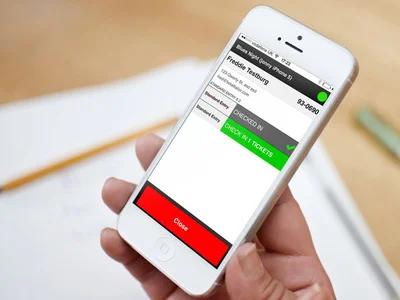
  • Use our Android or iPhone app. Download the Ticket Tailor app from the app store and download your event data to your device. It even works offline if you don't have an internet connection. You can check people in by searching for their names or by scanning the barcode on their ticket.
  • Use a desktop computer. Use the Ticket Tailor desktop app to check people in. It works offline too and you can search for people's details.

That's all there is to it, but we are here to help!

We are always on hand to help so if you get stuck you can:


Tanja CSA"Ticket Tailor makes it quick and easy to sell tickets online. The customer service is great, they don't take a cut on each transaction, and there's 30% off their monthly plans for charities. All round a great service for PTA events."

Tanja Kent, Collis Primary School PTA


Find out more about Ticket Tailor and take our quick two-minute tour.

How CoLab Theatre Sell Tickets Online

DSC_0789-e1426523944577.jpg

At Ticket Tailor, we aim to provide the best online ticketing service that we can. We want to help our clients sell tickets online and make the experience as simple, yet effective for them as possible. With great features such as MailChimp integration, auto-hiding tickets and Facebook integration, we provide an online ticketing service that works for you.

When it comes to telling you about the benefits of the services that we offer, who is better placed than our clients? Bertie Watkins of CoLab Theatre shared with us why they use TIcket Tailor to sell tickets online.

Sell tickets online

Bertie, what can we expect from a CoLab Theatre production?

"We want to create completely new, exciting and unique experiences for our audiences to live in. Using technology, our mission is to create fun and engaging experiences for absolutely everyone, utilising locations around London, we strive to bring them alive using old, new and borrowed stories.

We create experiences that people have never gone through before. We push the boundaries, not of people’s inhabitations but how far we can take them into other worlds. We create new and exciting shows with some of the countries most exciting playwrights, producers, directors and actors. Collaboration is key and we are keen to continue to grow with the country's best creative minds and companies. With a growing network of collaboration, CoLab will continue to make the best work possible.

We strive to create experiences you will never forget - this is CoLabs mission."

CoLab Theatre combines technology with theatre for an immersive experience. What was the inspiration behind that?

"It started out by wanting to make audiences into characters within the narrative we're telling them. Audiences are changing with new styles of theatre. They're investing so much more and I thought it would be fantastic to try and create a way to give them more agency within a narrative. It means they can go from being a passive audience member to becoming an active (or passive if they choose) member of the story.

Obviously it's a massive challenge, particularly as you need to have live audiences to really try new things with. Luckily it's an incredibly fun process to have and technology makes it much easier.

Sell tickets onlineMobile technology is such a fantastic, advanced tool that we are all completely competent at using. We use them every day and they are almost essential to every day life. So why should we turn them off to see a show? Why shouldn't we transform them into weapons to gain more narrative? Our ultimate aim with technology is to seamlessly integrate it into theatre so people don't even necessarily notice when they're being fed narrative live in front of them or through a screen. They should both be working in tandem to compliment each other."

What events have you got coming up?

"We have a lot going on this year.

Unfortunately we've got a lot of shows that we are cannot speak about yet as they're 'top secret' - ironically they're spy shows...

However we are allowed to talk about The Exchange - following on from the Fifth Column, the Exchange reveals to the audiences an invisible war between the ETF and Astra. It pioneers our new form of theatre - Action Theatre. Audience pit themselves against the ETF and try bring them down from within. It's going to be a massive amount of fun."

Sell tickets online

How has Ticket Tailor helped you sell tickets online?

"Ticket Tailor has been the exact ticketing website I've been looking for ever since becoming a producer. The best thing about it is the customer service. Even if there is a problem, you know it will be solved quickly. It's incredibly easy to use and the dashboard has all the information you need right in front of you. I couldn't be happier with a ticketing system.

Finally, the most important thing it is that it's fair. The pricing means that smaller companies like CoLab can create a show and not sting or be stung by ever increasing booking fees."

Find out more about CoLab Theatre and their unique productions on their website.

We pride ourselves on our customer service so it's great to hear that our clients know how hard we work for them. It's important for us to provide a fair pricing structure for events of all shapes and sizes: from small corporate events to festivals, Ticket Tailor is here for you.

Why not take our two-minute tour to find out more?