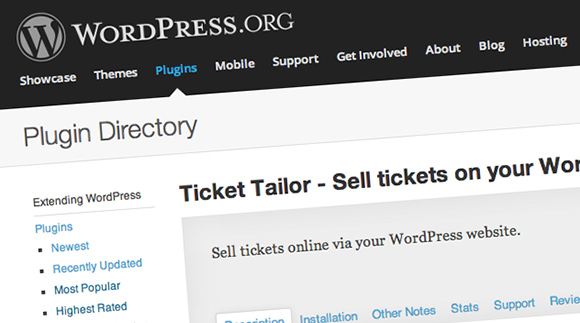
Sell tickets with WordPress

sell-tickets-wordpress1.jpg

We are pleased to announce that our WordPress plugin has now gone live on the Wordpress plugin directory. If you want to sell tickets via your WordPress site, simply add our plugin. Then you can embed your box office in to any of your pages or blog posts with a simple snippet of text accessible from the Ticket Tailor control panel.

Learn more about in our help article:

4 Ways to Boost Ticket Sales for Your Event Using Twitter

Twitter-Birds.jpg

Looking for ways to increase ticket sales to your next event? You're probably already aware of it, but Twitter can be a highly-effective tool -- if it's used correctly.

If you want to sell more tickets via your website, the following four tips will help you get the most out of Twitter.

1. Pick a Unique Hashtag

These days, most event planners have caught on to the benefits of creating a unique hashtag for their event.

Unique hashtags make it super-easy for someone to jump straight into any conversation surrounding your event, all whilst building awareness and reinforcing your brand. It also makes it much easier for you to track what people are saying about the event, which will save you a lot of time.

A good hashtag should be short -- remember you only have 140 characters -- and memorable. Make sure your hashtag is well-promoted by including it in every tweet, actively pushing it on your website, and including it in any promotional material you release.

2. Ticket Giveaways

Spreading word of your event as far and wide as possible is a great way to maximise ticket sales.

How do you achieve this? By running a competition.

For maximum impact, make entry as easy as possible: a simple retweet competition works best. Just ask people to retweet to have a chance of winning two tickets to your event, include your unique hashtag, throw in a link to a blog post promoting the event, and you're good to go.

When you give people the chance to win something for free, you'll find them more than willing to promote your event for you, such is the power of the free giveaway -- and all it costs is the price of a couple of tickets.

The aim of your competition is to get your promotional material in front of as many people as possible; by offering a prize for something as simple as retweeting, you get more entries and this spreads your message to a much wider audience.

More people click on your link through to your site, more people buy tickets. Simple.

3. Link to Your Sales Page

When you pique someone's interest in your event from one of your tweets, do you capitalise on this? If not, you're leaving money on the table.

The best way to do this is to throw a link on the end of each tweet linking to a page where a person can buy tickets -- or at the very least, a promotional page for your event.

Sure, if a person is very interested, they will go out of their way to find the place to buy their ticket. But what about someone who is only somewhat interested? Forcing them to do all the heavy lifting might just put them off.

If you want to sell out your event -- and why wouldn't you -- making it as easy as possible to buy tickets is key. Converting impulse buyers and "floating voters" is perhaps the best way to boost your sales.

4. Twitter Widget for Social Proof

Never underestimate the power of social proof.

It's basic human psychology: If I can show you that other people are excited about an event, you yourself will be more drawn to that event.

Using this logic, if you've managed to generate a huge buzz around your event, by leveraging this correctly you'll generate a whole lot more -- and that means extra ticket sales.

So how do you do this?

Well, the best way is to show-off what other people are saying about your event on your website -- and, with Twitter being the go-to place for people to express their opinion on anything and everything, it's a good place to start.

Twitter have created their own plugin for this very purpose. You can create a feed that shows everything people are saying relating to a specific hashtag -- making it even more important you come up with something unique!

Simply click on this link, login to Twitter then click Create New. From there, click on the Search tab, and input your hashtag in the Search Query field -- you can select more than one if needed.

Play around with the customisation settings until you're happy; you can edit the size of the widget, colour scheme and link colour. When you're done, simply hit Create Widget and copy and paste the code it generates.

Code can be quite intimidating, but in this case it doesn't have to be. For WordPress users, all you need to do is head over to your dashboard, click Appearance > Widgets then drag a Text widget into your sidebar. Paste your code into this widget and you're done!

If you're using HTML, simply paste the code directly where you want it to go -- the Javascript comes with the relevant HTML tags, which means you can paste it straight in.

Now, when visitors view your site, they will see the good things others are saying about your event on Twitter -- if you sell tickets via your website, this can be very persuasive.

Wrapping Up

These four tips are incredibly simple to implement but will have a positive impact on your bottom line -- sometimes a simple approach generates the most success!

Have you had experience promoting your event using Twitter? Share your experiences with us in the comments section below!

Sell tickets directly from your website

Great news! We've just introduced website widgets that allow you to sell tickets online direct from your website. The customer can go through the checkout process without leaving you site, and all you need to set it up is  a couple of lines of code. See the example below:

[tt-event url='//www.tickettailor.com/new-order/15264/9fe4/ref/website_widget/' minimal='false' bg_fill='false' ]

To get your widget code, login to your account, click the Box Office Setup tab and click Website Integration.

You can customise the widget with the following settings:

Event: This determines which event it should display, or select "All Events" if you want a widget that stays up to date with all of your events. Background: You can choose "Same as theme" which uses the same background colour as your box office settings, or "Transparent" which will mean there's no background colour set. Event info: Choose between "Show" or "Hide". Most of the time you will probably want to show the event info but if you are adding the widget to an event page that already has event info, then you may want to hide it.

Choose your settings and click Update. You will now see a preview of your widget. Click the link Get the HTML code. Copy and paste this code in to your websites HTML wherever you want the widget to appear. If you are unsure what HTML code is, just send this code to your web designer.

We'd love to know any feedback you have.

Sell tickets free!

grateful.png

When you search for "Sell tickets free" online you get a whole load of companies all saying "Our service is free". But dig a little deeper and you'll find that what they really mean is that they will pass their fees on to your customers in the form of booking fees. If you tot up these fees, you will see that they amount to rather a lot of money.

Sell tickets free Some ticket agencies claim their service is free, but it's not as simple as that.

So the customer ends up paying more to go to your event, but this is costing you money too. Without these booking fees, you could have charged your customer more for a ticket, pocketing the extra £1 or £2 that normally goes to the ticketing agency yourself. Alternatively, you could have made your event cheaper for your customer and, in doing so, attracted more customers.

At Ticket Tailor we charge no booking fees. We ask for a low monthly fee instead, and there are no contracts or minimum-commitment required (see our pricing page). In addition, you can sign up, set up your box office and start selling tickets for free; we will only ask you to start paying when you make your first sale.

Cheaper than free!

Eh? How can you be cheaper than free? Well, we have a neat little trick. We allow you to set and keep your own booking fee on ticket sales (this is totally optional). So, you could charge £10 for a ticket and add on a £1 booking fee, and we don't take any of that and it will more than cover your payment processing fees with PayPal or Stripe.

We think this is a much fairer way to do it.

Sell tickets for charity events - 30% Discount

Because of our low, predictable monthly pricing, we are helping many charities sell tickets online. And now we are pleased to announce we are offering 30% off our prices for charities. This means if you are running a charity event you can sell your tickets for just £10.50 + vat per month (30% off the usual £15). And there are no contracts or hidden service fees, just pay for when you are selling.

Not only is Ticket Tailor great value, here's a couple of other reasons why we are a great choice for your charity event:

  • We are really easy to use. Don't take our word for it. Sign up and try adding an event.
  • We have excellent customer support. Drop us an email at hi@tickettailor.com or find us on live chat via the site.

All you need to do to get the discount is sign up and then email us at hi@tickettailor.com with your charity name and number and we will apply the special rates to your account.

If you have any questions please don't hesitate to get in touch via hi@tickettailor.com.

Now live: Sell tickets online with Stripe

payment-method-stripe-logo-for-blog.png

Update: Our Stipe integration is now live. We are excited to announce that we will soon enable you to sell tickets using the Stripe payment system in addition or instead of PayPal.

If you haven't heard of Stripe, it's a new way for you to collect money online. Here are the headlines:

Signing up is incredibly easy

You simply fill out a short form and within 5 minutes you can start to accept credit card payments for your online ticket sales using Stripe. There's no need for a merchant account or anything like that.

Minimal fees

In the UK, the fees are just 2.4% + 20p per transaction or less with volume sales. That's a percentage cheaper than where PayPal starts. If you have high volume it would be worth investigating who can give you the best deal.

In the US the fees are 2.9% + 30¢. so on a par with PayPal. Again, the fees drop with volume so you should dig in to the volume discounts to see who works out at best value.

7 day rolling payout

Stripe pay your funds to your bank on a 7 day rolling basis. How cool is that?

Seamless integration

Instead of going off to a branded/co-branded page, the Stripe payment form just pops up, asks the user to enter their card details and goes away again. It works beautifully on mobile too. It really couldn't be simpler so it should be great for optimising your ticket sales conversion. We'll publish some screenshots when it's close to launch.

Simple reporting

Stripe provide an online dashboard where you will be able to see all of your sales and export data as CSV.

There's more you might need to know so check out the Stripe FAQs. It's coming to Ticket Tailor very soon and we'll update you here on the blog when it's live. If you have any questions don't hesitate to get in touch via hi@tickettailor.com.

A cheaper alternative to Eventbrite

Hey, welcome to the Ticket Tailor blog. Ticket Tailor offers an online ticket selling system with a difference: we don't charge any per-ticket fees, and instead a predictable low monthly fee. If you are new round here, check out our home page. We think Eventbrite is cool. It has a load of great features and has done a lot to disrupt an old-fashioned ticketing industry. But Eventbrite is expensive and those fees can really add up.

Example with Eventbrite

If you are running an event with a 500 capacity and selling tickets on Eventbrite at £10 a ticket then you are looking at fees of 2.5% + £0.65 per ticket + 3.5% credit card processing fees. That works out at a whopping £450 service fees + £175 credit card processing fees. A grand total of £625.

Example with Ticket Tailor

Let's take the same example with Ticket Tailor. We charge a monthly fee for the period of time that you sell your tickets. Let's say you are selling your tickets for your event over 3 months and you have one event so you would be on our Promoter package (£9/month+vat). Our service fees would be a total £32.40 including VAT. For payment processing we work with Stripe and PayPal. Stripe charge 20p + 2.4% per transaction so you would pay at most £220 processing fee. A grand total of £252.40 saving you £372.60.

Still if margins are tight and those £220 processing fees can be hard to swallow, we also allow you to add your own booking fee to your tickets. You can set this to whatever you want and this is money you get to keep. This can be a great way to cover these costs.

There's obviously more to consider than just cost and we hope to delight in other areas too. Take a tour of Ticket Tailor, read our blog posts, check out our pricing page, and sign up for a for free to try it out for yourself.

How to Make your Event Greener

With the London 2012 games just round the corner, the capital is inevitably going to be put under a considerable amount of pressure. Among this pressure is the vast amount of waste that London will have to endure. Here at Ticket Tailor, we thought a great way to minimise this is to find how we can all make our events a little bit greener!

E-vite your guests

Emailing invites saves time, paper, money… so how much persuasion do you need! This works great, especially if your guest list is quite long or your guest demographic is far reaching. Nowadays, most people have an email address that they check regularly, so it’s unlikely they will miss your invitation.

Use E-tickets

Likewise, e-ticketing is great for the environment too. Using a service like Ticket Tailor can save you hoards of cash and lessen the strain on the British environment – as well as across the world! The other great thing about e-tickets is that they are rarely lost, and when they are, they are easy to re-send.

Use biodegradable props

For example, if your event is a gala dinner, use cloth napkins, silver cutlery and reusable table cloths to minimise wastage. The Olympics are a huge cause for celebration, so if you are throwing a party, ask your guests to keep and refill their cups. It’s not too much trouble and will cut down on costs too – not to mention less time spent clearing up discarded cups all over your lovely venue.

Take advantage of the locality

Decorating a venue doesn’t always mean heaps of balloons or bunting. Try using natural decorations such as leaves or stones. Plants can give an air of sophistication too – which is great for the upmarket events. You can even give smaller plants to leaving guests as gifts – making a great lasting impression.

Use LED or energy saving lighting

Most events rely heavily on great lighting. To ensure your event is as green as it can be, why not use bulbs which save energy, save the earth and save you some wonga? These bulbs can last years – so they’re reusable and durable too.

Website Integration Exhibition: Part Two

After our first exhibition, we've received requests to see more of our web integrations.  So we're flinging open the doors once again and bringing you a few more examples of our work.

If you missed our first exhibition, please take a peek here.

It great to know exactly what you're getting before you sign up to a service. At Ticket Tailor, we aim to create a seemless experience for your customers when they buy a ticket from your box office.

As an added bonus, this feature is totally FREE on most of our packages and can often be completed within 3 working days.

Have a flick through our web integrations below (click to enlarge) and let us know what you think on twitter.

Hereos of Alternative Comedy: Heroes of (Alternative) Comedy present genuine comedy legends, alongside the most exciting freaks around.


iDID Wakeboarding: iDID aims to provide inclusive opportunities to offer the means for disabled adults to participate in sustainable sporting opportunities.


Party 4 Patrick: The Patrick Evans Foundation has been set up to help those suffering from any illness and disease and to support those dealing with bereavement and loss.


Power Lunches: Power lunches is an arts café, music venue  and rehearsal space in Haggerston, London.


Studio Lounge: Totnes' dedicated live music venue, showcasing the best local talent.


Whiskey Wild Saloon: Whiskey Wild Saloon is an establishment dedicated to elevating the status of Country Music.

New Feature: Seating Plans

UPDATE 2016: We currently can't support interactive seating plans. For some events, seating is key. It's important that if you run events whereby customers need to purchase specific seats, these customers are able to do so quickly and easily. That's where Ticket Tailor's new seating plan feature comes in. With this neat addition to our service, your customers can now choose exactly which seats they wish to purchase tickets for - complete with an aerial map of your venue.

The seating plan feature will allow your customers to "select seats" from your box office, similar to the picture below.

This feature also allows you to assign different ticket types to different sections of the seating plan. Often, seats nearest the stage are dearer than those further away. So for example, you could charge £50 for Row A seats and £70 for Row B seats - and so on.

Once a customer clicks on the option to select seats, an aerial map of your venue will pop up detailing which seats are available and which seats are unavailable.

Furthermore, when a customer clicks on the seat(s) they wish to purchase tickets for, they are shown the seats they've reserved on the map and in your box office.

If you are interested in having a seating plan set up for your events, please contact us.  A set up fee will apply for us to build your seating plan which depends on the size and layout of the plan.