South West 7s - Selling festival tickets online

sw7-logo-ed.png

South West 7s is an annual festival celebrating rugby sevens, camping and live music from across the UK. Held at Clifton RFC in Bristol from June 19th to 23rd, this year was SW7s’ highly successful debut. With more than 15 live bands, a selection of artisanal stalls and a competitive 7-a-side rugby tournament, huge amounts of fun (and sun) were had by all.

WX8B3969_1

Rugby fans of all skill levels played together over the 5 day event, with prizes awarded to amateurs and charity donations made on behalf of the pros. For those less sporty or more family oriented, the summer festival also featured DJ sets and a comedy club, with plenty of delicious things to eat and drink.

WX8B4372_1

If you missed SW7s this time around, don't worry! Next year's event is set to be even bigger, so grab your tickets while you can! Sales open on the 1st of September.

Why Ticket Tailor?

South West 7s’ director Thea Wise did plenty of online research before deciding on Ticket Tailor. Knowing that the festival would be a popular event with different pricing points and ticket types, Thea chose Ticket Tailor for its affordable monthly rate, Facebook integration and ease of use.

sw7 fb

Our widget also integrated perfectly into South West 7s' website, and offered a clear and straightforward way for attendees to find and buy their tickets - no redirection necessary!

southwest7

Being able to set up a variety of ticket types quickly and easily proved especially useful in combination with our check-in app. Promotions for father's day and family bundles were simple to create, as were VIP tickets that featured access to private stands, a secret disco and exclusive food and drink. All of these could be scanned by phone at the door - meaning less fuss and more fun for everyone involved.

Profile Pic“Ticket Tailor is a great option for running any kind of event. It’s affordable and very easy to use. The ticket app is equally fantastic and always ensures straightforward and speedy check-ins.”

Thea Wise - Director at South West 7s

We're always pleased to feature clients on our blog. Contact us if you'd like to be here!

New Feature: Voucher Codes for Ticket Sales

We're pleased to announce that you can now create voucher codes for your events

voucher codes5Voucher codes contain a set amount of money that can be redeemed against your choice of events. Unlike discount codes, voucher codes are single use and can only be 'spent' once; any remaining credit disappears after a voucher is applied to an event.

voucher codes

Voucher codes can be created in large batches to serve as single use gift cards and are especially useful for ticket sellers offering discounts with businesses like Groupon. Each batch has an expiry date and can be made redeemable against any number of events.

In the interests of security, you will be automatically notified by email any time a voucher code is created. For more information on voucher code setup and use, please see our help and support article.

Selling tickets on your site (with widgets!)

widget.png

Ticket Tailor lets you sell tickets directly from your website using our widgets. It might be blindingly obvious why this is a pretty nifty feature, but just in case it's not, here are three reasons why widgets are the way forward for ticket sales.

Customers will stay on your site for longer

Which is always a good thing.

If you've spent time putting together an attractive website then the last thing you want to do is send visitors somewhere else to buy tickets. You want them to stay, read the content, enjoy your carefully selected images and hopefully come back sometime in the future. What you don't want to be is a 5 second stop-over before a redirect to another events site.

You're not competing with anyone else

All the events on your website are your events.

That sounds pretty obvious, but if you sell tickets by redirecting customers to a different site that also lists similar events, you're feeding potential sales to competitors. That's either very charitable or the event organizer's version of Hard Mode.

You're offering a clean and professional buying experience

Because our widget looks good, so you will too!

Yeah, I said it. But let's be frank: nothing says 'event pro' like taking payments and issuing tickets by yourself. Third party middle-men are useful, but they're hardly ideal - especially when it comes to ticket fees. And by the way, our widget works on any HTML site including WordPress, Wix and Squarespace.

1

kid koala

sw7

The Porcini Test - Selling Theatre Tickets Online

porcini-blog.png

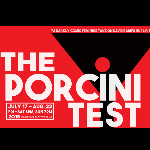
Laureen Vonnegut is an American fiction writer, filmmaker and playwright. The Porcini Test is her latest work.

Laureen's first book, Oasis, was hailed as “possessing a Felliniesque delirium, geopolitical knowingness, and womanly-wise toughness” (American Library Association). Over twenty of her short stories and movie scripts have been published worldwide, and her latest novel, Twin Lies, is read in book clubs across the world.

gun

The world premiere of Laureen's first play, The Porcini Test, took place on the 17th of July at the Promenade Playhouse in Santa Monica. It will be running until August 22nd and tickets are available here. A feminine take on David Rabe’s darkly comedic Hurly/Burly, The Porcini Test is about old friends with hidden truths, girlfriends with concealed weapons, and boyfriends who need to know their fungi.

Why Ticket Tailor?

Laureen found Ticket Tailor through positive reviews from previous theatrical clients and was drawn to the convenience and predictability of a monthly rather than per-ticket payment plan. The option to add special discounts for groups with coupon codes was particularly useful, and proved to be one of the deciding factors in her choice.

porcini test 2In this case she opted to list tickets via the Box Office and spread this link with a custom discount code through Twitter and Facebook. Instead of sending customers somewhere else to purchase tickets, Ticket Tailor allowed Laureen to make the best use of her logo and social media, and sell tickets directly from her site.

If you’d like to sell tickets online quickly, easily and without the hassle of per-ticket fees, why not take our free trial for a ride? We offer a host of useful features including app-based registration, customisable e-tickets and customer data management.

close up laureen"The flexibility and control of Ticket Tailor has made selling tickets simple and non-stressful."

Laureen Vonnegut - Author, filmmaker and playwright

We're always pleased to feature clients on our blog. Contact us if you'd like to be here!

8 benchmark WordPress themes for ticketed events

WP-benchmark.png

How important is event presentation?

Very. Until your attendees actually arrive, the only information they have to go on - aside from word of mouth - is the information you provide. Presentation is key, but not all themes are suitable for every kind of event. That’s why we’ve put together a showcase of the best 'standards' in each category.

All of these are responsive, mobile-ready designs that work well with the Ticket Tailor WordPress plugin

Khore - Conference & Exhibition

khore

Khore is an advanced conference and exhibition theme that's designed to look fantastic on mobiles. It's clean, clear and attractive, and comes with a host of features including schedule and session management, online ticket sales, maps, a countdown clock and 8 different language translations.  If you're looking for a flexible and responsive event theme that caters to mobile users, you're unlikely to do better than Khore.

Event Builder - Directory

ebuilder 3

Event Builder is a customisable events directory that lets other users add their events to your own choice of categories. It supports maps and forms, pricing plan creation, custom filters, and a vast array of templates, colours and pages. It's compatible with Mailchimp, and users can seamlessly sell tickets to their events from the site itself, using the Ticket Tailor WordPress plugin. Backed by expert designers, Event Builder is intended to be the most universal directory theme around.

Soundboard - Bands & Artists

soundboard

Soundboard looks brilliant and works like its namesake, effortlessly amplifying your music, brand and aspirations to reach a wider audience. It's easy to get running and simple to use, but offers a wide range of customisation options and display features. This theme includes support for upcoming tour dates, tour management, pictures and videos. It is also JW Player ready, and has some of the fastest and most helpful support around.

Biosphere - Charity & Environment

biosphere

Biosphere is a fresh, honest and colourful theme that works well for any number of charitable causes. The homepage is modular and contains a variety of event management and social media options. Donations can also be taken through the site and the theme is  BuddyPress ready, with support for other language translations.

Universe - Schools & Education

universe

Universe is an ideal theme for scholastic institutes, from universities and schools to educational workshops and events. Like other featured themes, this one is fully responsive, but its also especially easy to customise thanks to its very clear presentation and widgetised homepage. With googlemaps and Mailchimp integration, several predefined skins and detailed documentation, educators can't go wrong with this theme.

Gameplan - Gym & Sports

gameplan

Gameplan has won several awards, and for good reason. It has a drag and drop page builder, excellent event calendar and tons of customisation options. Elements can also be quickly and easily added to the theme via more than 44 shortcodes, and it looks great on mobile and Retina displays.

LEARN - Courses & Workshops

LEARN

LEARN is for anyone who wants to arrange, market and sell courses or workshops online. Aside from several homepages, an event calendar and teacher profiles, it also includes a login and registration system for attendees. There are plenty of customisation options to play with, lots of extra content pages and at $16, this theme is extremely affordable.

Mercurial - Festivals & Events

mercurialMercurial is a great one page theme for any kind of recurring event or festival. Seamless parallax scrolling, 17 shortcodes and plenty of customisation options make it quick and easy to set up your webpage. Ideal for festivals and image-heavy events, this theme's presentation style is persuasive and bold, making it excellent for online ticket sales.

Introducing Zapier - saving you time on every ticket sale

zapier.jpg

We're pleased to announce that you can now connect all sorts of useful apps to Ticket Tailor via Zapier.

Zapier allows different applications to communicate with each other. In practice, this means you can use Zapier to easily automate a number of mundane tasks, such as transferring ticket sales details to spreadsheets, putting together a mailing list from event attendees or creating invoices for purchases.

Instead of spending your time making sure that various apps are synced up, you can now link ticket sales to hundreds of applications like Xero, Hubspot, Salesforce and Google Sheets. When Zapier is told that you've made a sale, it will forward the data you're interested in to your chosen application. It's possible to have several Zaps set up at the same time, complete with filters, so that all your apps will be updated at the same time.

We're currently updating our documentation to reflect some of the most common ways of connecting apps.

Google Sheets Integration

Here is a small example of how Zapier can be used to automatically populate spreadsheets.

You'll need:

  • A Ticket Tailor account
  • A Zapier account
  • A Google sheet to put your data

Step 1: Create a trigger and an action. In this case a new ticket sale will trigger a new spreadsheet row.

zapier gsheets example

Step 2: Link your Ticket Tailor account to Zapier so that this Zap will work. Simply follow the instructions to copy and paste the webhook.

zap sheets hook

Step 3: Connect your Google Sheets account. While you're here it makes sense to title the sheet you'll be using to record your data and create the appropriate columns e.g. "Event name", "customer name".

zap sheets sheet

Here's the sheet I created - it's very basic and there's plenty more data available to import from ticket sales for those who want it.

google sheets

Step 4: Filters. This is where you might channel different clients based on the tickets they bought, the event they attended or a host of other variables. I'm going to leave it blank for now.

zap sheets filter

Step 5: Select your spreadsheet and worksheet, then pick the data you want to automatically transfer after each ticket sale. I have four columns in my spreadsheets because these are the four pieces of information I'm interested in.

zapier gsheets 2 example

Steps 6 & 7: Testing and activation. Make sure you test each Zap and take a look at your spreadsheet to make sure everything is working as intended. An easy way to test this (and other Zaps) is to put a fake ticket sale through Ticket Tailor by adding an order as an operator. You can use this particular order to test other Zaps in the future - Zapier will 'remember' it when you hook the accounts together in Step 2.

zap testing and activation

And that's all there is to it! Please note that the spreadsheet and its associated field headings (Event name, email, etc) should be created before step 5. After the sheet has been linked to Zapier a page refresh may be necessary before these field are detected.

Zapier has their own help documentation, including video tutorials, that can be found here.

5 Mistakes that the best event organisers never make

150-px-srewup.png

...and how to avoid them!

You'd never make any of these blunders, but you probably know someone who has. Or not, in which case you may be some sort of Event Planning God, possibly waited on by a clique of minor but equally flawless venue deities.

 people

#EPG anyone?

1. Sales – Using discounts and coupon codes (badly)

Are guests buying tickets for your event? Early bird discounts are all well and good, but remember that you’re cutting into your profit margin for each discounted ticket sold. Always make sure you know where that money is going and what you're getting in return. Discounts are best used strategically:

  •  To compete with other similar businesses in a similar market

Coupon codes make sense when you want to undercut the competition. Make it clear that they’re available for a limited time only – this adds urgency to the purchase process and encourages unsure ticket buyers.

  • To track where your ticket sales are coming from and optimize your marketing efforts

Use different discount codes for each marketing campaign. When your event is finished, dedicate some time to understanding what worked and what didn’t. Keep using this strategy and you’ll eventually narrow down the most productive avenues to sell tickets for your particular event.

  • To reward and engage clients and customers

If customers learn to expect regular discounts then you’ve basically succeeded in undercutting yourself. Be sparing with them and you can reward loyal fans or promote your event through partners with exclusive offers. As a customer, even 10-15% off can feel like a lot more when you know other people aren’t getting it.

  • To close sales with longer term customers

But not all customers. Make sure you’ve figured out the ROI for your tickets, especially before you start handing out significant discounts. Be aware that larger price cuts can have a negative impact on your brand; make them too high and you run the risk of looking desperate or having customers think that there’s something wrong with your product.

empty conference

2. Resource allocation – Problems with space and time

You might have good speakers and exhibitors, but that won’t mean much if you haven’t given them the right rooms.

It's vital to know which aspects of your event are likely to attract the largest audiences. You can then make sure that the allocated space is suitably sized. Be sure to pay attention to acoustics and check that your AV systems are up to scratch.

Similarly, giving a large room to someone doing a very niche presentation is usually a mistake; semi-deserted conference halls are embarrassing for speakers and depressing for attendees.

Of course, that’s not to say that every aspect of your event needs to draw large crowds. A small, engaged group in an appropriately sized room can create the sort of intimacy that makes a conference particularly memorable.

All right, so you’ve got rooms sorted.

If you've booked speakers, have you allocated their time slots appropriately? Obviously you’ve margined for introductions – I’m talking about different periods in the day. A few things to think about:

Will audiences be ready for the first speaker and are late arrivals likely?

It can be a good idea to have some key ideas presented when energy and attention levels are highest. On the other hand, you don’t want an important presentation to start late and run-on because you’re waiting for stragglers.

Who have you got speaking before and after lunch?

The first slot is problematic because attendees are getting hungry and will be figuring out who they’re going to meet up with. During the second, guests may be sleepy, tipsy or still busy talking to colleagues and customers.

What’s your final presentation?

Ending the conference on a high note is clearly ideal, but attendees are likely to be tired and ready to go home. Whether it’s worth saving one of the best for last is a difficult decision that depends on experience and an understanding of each particular audience.

spam @

3. Engagement – Social media gone wrong

Social media is incredibly useful from an organiser’s perspective, but that doesn’t mean you need to be everywhere at once. In fact, pushing engagement too hard can have entirely the opposite effect. It’s also much more difficult to produce quality content and cultivate a friendly atmosphere if you’re attempting to do it all across multiple platforms.

Instead, pick one or two social media channels and use those exclusively.

Talk to people, connect with them and you’ll not only find the whole process more interesting and rewarding, but also easier to keep up.

Encouraging attendees to use social media at events is vital, although yet again there is such a thing as excessive engagement. “Engagement” in this sense is a bit of a misnomer, since it usually equates to something like twomiting. Observations and experiences are valuable; a continual echo of what the speaker said 10 seconds ago is not.

You can take steps to prevent social media abuse in several ways - one is to livestream the event.

This will often garner interest by itself, but it also makes Twomit-like updates fairly pointless. Similarly, having a twitter stream in front of your audience will make guests think for longer about what they want to say. A twitter stream can also be quite a lot of fun and it encourages the kind of questions that some attendees may be unwilling to ask out loud.

At the other end of social media gone wrong is its absence; from whence storytelling and light-hearted banter should emanate, there is only silence.

And a gaping void of missed opportunity. Do yourself a favour and be active on at least one social media avenue. It’s not difficult and it’s certainly worthwhile - unless you really don’t care what anyone else thinks!

wet floor

4. Facilities – Failure to accommodate

No, not the requests of the speakers or the buffet preferences of the client – we're talking about everything, including your attendees!

First off, make sure you have fantastically obvious signage.

You might know where everything is located but try to imagine that you've never been to the venue before. Does the layout make sense?  In general, but especially if you’re using volunteers, there also needs to be a place for staff to take breaks and leave personal items that’s suitably hidden from attendees.

But wait! There's more:

Is the entrance to the venue clearly marked? Where are guests going to park? Will they have coats and bags to drop off? How about wet umbrellas? Are the bathrooms spotless? Will they be kept spotless?

These are the sort of questions that tend to escape notice amongst all the other high priority tasks that need doing. But they are important, albeit fairly basic, concerns.

And what if things go wrong?

Event planners are fond of quoting Murphy’s law – “Anything that can go wrong, will go wrong” – even though it’s only slightly less naff than the nonsensical imperative to “expect the unexpected”. The real take-home message is simply this: spend some time thinking about the kinds of problems you might encounter during the event. Create a back-up plan for those eventualities and you won’t disappoint guests or look unprofessional if they do come to pass.

marketing

5. Concluding gracefully – Not following up

Done thanking everyone?

Great, now you need to follow up.

The show might have ended, but it’ll still be fresh in the minds of your guests for a little while longer (one hopes). Keep in contact via social media. Be sure to ask for feedback and testimonials. Create a write-up with some pictures and highlights of the event to send out during the following week.

This is also a good time to advertise your services for future events.

This is especially true if attendees left on a positive note and felt like they got their money’s worth. How you choose to do this is fairly case dependent, but it’s a good idea to personalise your follow up marketing and find a reason to contact potential clients that isn’t just about the sale.

Finally, you should set aside time to reflect on the event itself.

Take five to think about what went particularly well and what could have been done better. Be sure to talk to your staff and address any concerns that they may have. The results of this process will be useful for planning, budgeting and timing in the future, and can serve as a jumping-off point for the next iteration of a recurring event.

Selling tickets online: 2015 National Student Pride

National Student Pride celebrated its 10th anniversary from the 27th of February to the 1st of March this year. Attended by almost 1500 students from over a hundred universities across the UK, it attracted sponsors including EY, IBM and BP, and won Best Event at the 2015 British LGBT Awards.

WEB.600.513

Why Ticket Tailor?

Through a quirk of fate, Tom Guy, the president of NSP, actually works in the same office as yours truly. Even so, his primary motivation for choosing Ticket Tailor over alternative ticketing service Eventbrite was cost; selling 1500 tickets through Eventbrite meant paying close to £1200 in commission fees. With Ticket Tailor’s pricing plan, the same event cost £72 and the difference could be turned into a better experience for attendees.

nsp divider 1

This year’s Student Pride included a careers fair, debates, parties at G-A-Y and Heaven, and numerous ticketed activities and speakers. The event was listed on Squarespace using Ticket Tailor’s widget, and included several ticket types with additional costs for two film screenings. The ability to customise what data was collected during purchase also meant that useful information could be passed on to sponsors and used for publicity.

nsp gif v3 10fps

National Student Pride was hugely popular this year, with 77% of students rating the event ‘very good’ to ‘amazing’. The variety of activities on offer was also very well received, but this meant that without multiple areas for ticket redemption there was the potential for large queues to form. Ticket Tailor helped organisers speed up check-in by providing a flexible app that worked on laptops, tablets and phones, and synchronised across devices throughout the day.

nsp divider 2

Perhaps the greatest praise that we received at Ticket Tailor was the absence of any mention of ticketing by students, who were free to enjoy several days of well planned, well-funded and very impressive events.

tom guy“Ticket Tailor saved us a lot of money and a lot of time this year. National Student Pride 2015 was our hugely popular 10th anniversary, and, as most students will tell you, it went brilliantly.”

Tom Guy - President: National Student Pride

5 Beautiful Squarespace templates for events

squarespace-blog-side-image1.png

Squarespace is a publishing platform that allows you to create your own website through a simple, intuitive process. The creativity and innovation of the Squarespace team is visible in their logo design system and the robustness of the platform itself.

Event organisers looking for a slick, professional solution to manage their events can choose one of the myriad custom templates, ranging from beautiful single page portfolios to multi-layered themes offering flexibility and customisation.

Squarespace offers:

1. A wide selection of customisable free and paid templates tailored to specific industries

2. Many free and paid addons that have been pre-tested and offer additional site functionality

3. Reliable hosting and excellent customer support

Naturally, Ticket Tailor also integrates with Squarespace - we even have a list of our 5 favourite templates for event organisers:

Event Horizon

Horizon template

Event Horizon is a great example of a spacious one-page portfolio. Everything is displayed on the front page, with a menu bar that will jump users to specific content. There is a section for sharing details on upcoming events, including the day and date, venue, location, and the ability to RSVP. Additional pages can be added to share images and videos from past events.

Aviator

avaitor

Aviator is ideal for any event requiring built-in maps and a separate news page. For conferences, the 'product' pages can be altered to accommodate speaker profiles, or to list which talks will be taking place and when.

Encore

SqS - Encore Template

Encore is an easy to use event template for artists who are constantly on tour. It provides a rather different layout from Horizon and includes separate webpages for different types of content. This theme includes a distinct biography page, media player and event listing.

Adversary

SqS - Adversary Template

Adversary is another one-page events website for artists. The top menu lets you access different areas of the page, including the events section, where fans can view the dates and venues of different shows, buy tickets or RSVP.

Om

SqS - Om Template

Om is a business website with a simple, open interface and a clean layout, perfect for professionals who organise seminars or workshops. The host can easily list different classes, indicating the date, time, and training content. Clients can then register and indicate when they will be available to attend.

In Conclusion

Although these are our favourite themes for event oriented websites, you can find more beautifully designed templates here. Those wishing for a wide variety of highly distinct themes may wish to use WordPress, but for a simple, elegant and reliable e-commerce solution, Squarespace ticks all the boxes.

How to Sell Event Tickets Online with WordPress (and our widgets!)

wordpress-side-adjusted.png

WordPress is the most popular blogging platform in the world: it's easy to use, quick to set up, and hugely customisable. It also happens to be a great way to advertise events and sell tickets online. Our philosophy at Ticket Tailor is to stand with (rather than between) you and your customers. That's why we offer an alternative to the eventbrite payment model: you can white-label our customisable ticketing service with no commitment to contracts and no commission fees.

We also offer plugins that let you sell tickets online directly from your own website. We figured it might be worth showcasing one of them here: the WordPress plugin. It supports recurring events, has calendar functionality, and takes customer payment via credit/debit card through Stripe or PayPal. How easy is it to set up? All you need to do is copy and paste, but we also have instructions on our documentation pages!

We've got a quick mock-up of basic plugin customisation and embedding in action below. In addition to the WordPress plugin, we also supply a similar widget that works on a host of other sites, including Squarespace. If you take a look further down you'll see examples of what a few of our clients have done with this widget.

[tt-event url='https://www.tickettailor.com/new-order/29329/78e8/ref/website_widget/' minimal='false' bg_fill='true' show_logo='true' ]

morgan motors small

soundcrash

waverley abbey house